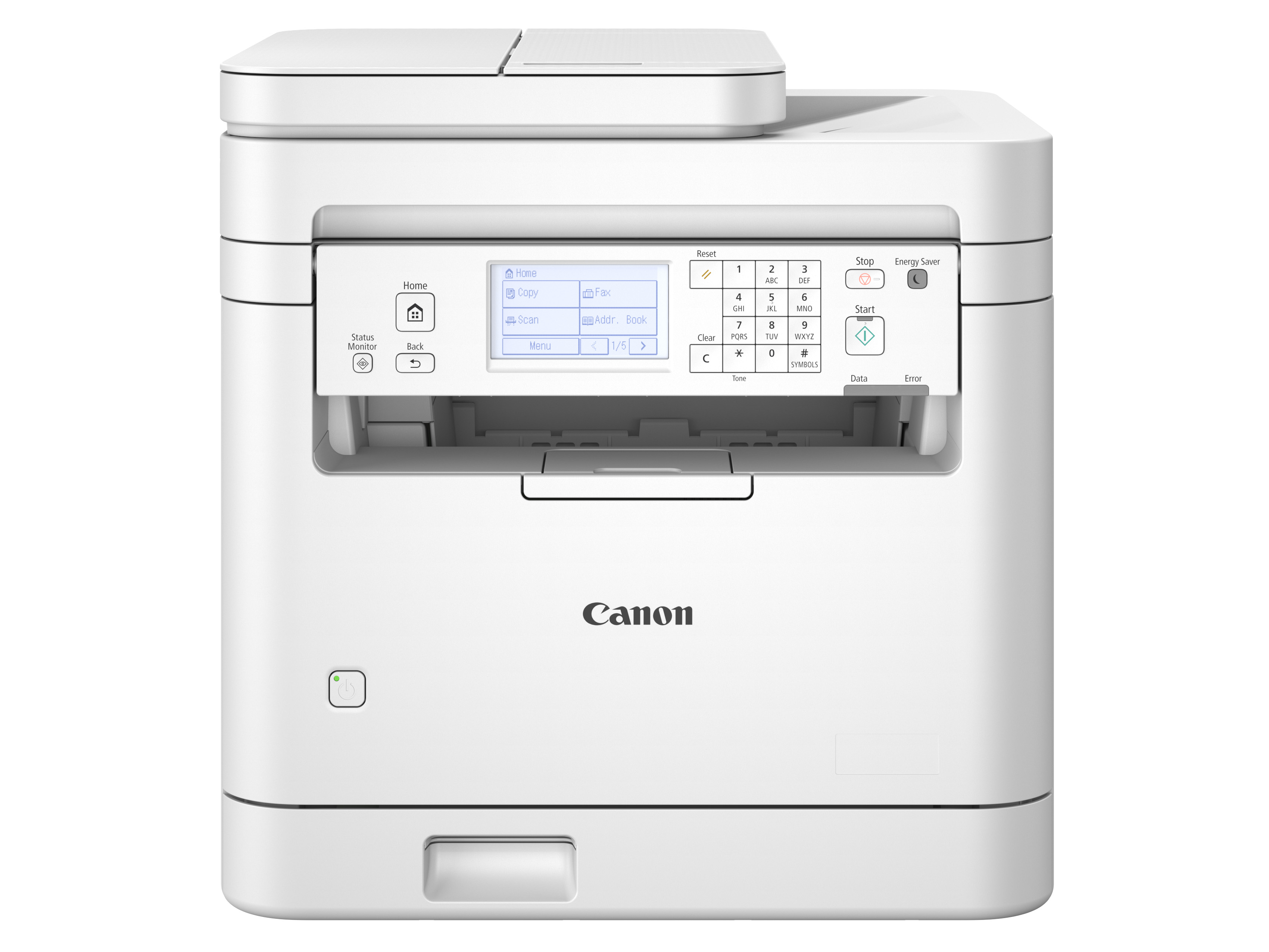
Best laser printers for your needs

Start with the paperwork you handle. The Brother DCP-L2640DW suits routine monochrome printing and one-sided scan stacks. Choose the Canon MF665Cdw for color and automatic two-sided scanning. The Brother HL-L6210DW is built for larger print runs without a scanner.

Top picks by situation

laser printer matcher

What matters to you in a laser printer?

Choose any combination. Results update instantly.

Position 2
Canon MF665Cdw

Canon, MF665Cdw

MF665Cdw

Color handouts and two-sided forms without turning each scanned page.

Best fit forColor handouts and double-sided forms

Why it fits

  • Color printing
  • Up to 26 Letter pages per minute
  • Automatic two-sided printing

Know the trade-offs

  • Its single-sheet bypass needs individual loading for supported special media.
Position 3
Brother HL-L2460DW

Brother, HL-L2460DW

HL-L2460DW

Two-sided paperwork without giving desk space to a scanner.

Best fit forReports when you already have a scanner

Why it fits

  • Black-and-white printing
  • Up to 36 Letter pages per minute
  • Automatic two-sided printing

Know the trade-offs

  • You need a separate scanner for paper originals.
Position 4
Canon MF753Cdw II

Canon, MF753Cdw II

MF753Cdw II

Color printing plus automatic capture of both sides of a document stack.

Best fit forColor reports and regular duplex scanning

Why it fits

  • Color printing
  • Up to 35 Letter pages per minute
  • Automatic two-sided printing

Know the trade-offs

  • The optional 550-sheet cassette costs extra and adds height.
Position 5
Brother HL-L6210DW

Brother, HL-L6210DW

HL-L6210DW

Long black-and-white print runs with fewer trips to refill paper.

Best fit forLong print runs with fewer paper refills

Why it fits

  • Black-and-white printing
  • Up to 50 Letter pages per minute
  • Automatic two-sided printing

Know the trade-offs

  • There is no scanner. Leave space for trays, paper access and the manual’s ventilation clearance.
Position 6
Brother MFC-L2820DW

Brother, MFC-L2820DW

MFC-L2820DW

Fax and a 50-sheet feeder for an office that handles single-sided forms.

Best fit forOffice forms and fax

Why it fits

  • Black-and-white printing
  • Up to 36 Letter pages per minute
  • Automatic two-sided printing

Know the trade-offs

  • Incoming double-sided documents must be turned and scanned again.
Position 7
Brother HL-L2405W

Brother, HL-L2405W

HL-L2405W

A simple wireless printer for letters and occasional household paperwork.

Best fit forOccasional letters and household paperwork

Why it fits

  • Black-and-white printing
  • Up to 30 Letter pages per minute
  • Manual two-sided printing

Know the trade-offs

  • No automatic two-sided printing, scanner or Ethernet port.
Position 8
Brother HL-L3220CDW

Brother, HL-L3220CDW

HL-L3220CDW

Color handouts and two-sided documents over a wireless network.

Best fit forColor handouts in a Wi-Fi workspace

Why it fits

  • Color printing
  • Up to 19 Letter pages per minute
  • Automatic two-sided printing

Know the trade-offs

  • No Ethernet port or scanner.
Position 9
Brother MFC-L3720CDW

Brother, MFC-L3720CDW

MFC-L3720CDW

Color copying and single-sided document stacks in a Wi-Fi office.

Best fit forColor copies and one-sided scan stacks

Why it fits

  • Color printing
  • Up to 19 Letter pages per minute
  • Automatic two-sided printing

Know the trade-offs

  • No automatic two-sided scanning or wired Ethernet connection.
Position 10
Brother HL-L2480DW

Brother, HL-L2480DW

HL-L2480DW

Occasional book-page copies alongside routine two-sided printing.

Best fit forBook-page copies and routine reports

Why it fits

  • Black-and-white printing
  • Up to 36 Letter pages per minute
  • Automatic two-sided printing

Know the trade-offs

  • No document feeder, so stacks need one sheet placed at a time.
Position 11
Brother HL-L3280CDW

Brother, HL-L3280CDW

HL-L3280CDW

Color documents for a shared wired or wireless network.

Best fit forSharing a color printer over Ethernet

Why it fits

  • Color printing
  • Up to 27 Letter pages per minute
  • Automatic two-sided printing

Know the trade-offs

  • A print-only machine, so it will not digitize your paperwork.
Position 12
Brother MFC-L8930CDW

Brother, MFC-L8930CDW

MFC-L8930CDW

A busy shared office that needs color output and larger scan stacks.

Best fit forLarger scan batches in a color-printing office

Why it fits

  • Color printing
  • Automatic two-sided printing
  • 80-sheet document feeder plus flatbed

Know the trade-offs

  • Its 58.4-pound body needs a sturdy permanent position.
Position 13
Brother MFC-L3780CDW

Brother, MFC-L3780CDW

MFC-L3780CDW

Double-sided paperwork and color charts on a shared network.

Best fit forColor work with two-sided originals

Why it fits

  • Color printing
  • Up to 31 Letter pages per minute
  • Automatic two-sided printing

Know the trade-offs

  • The 30-sheet multipurpose tray is smaller than the main cassette.
Position 14
Brother HL-L3300CDW

Brother, HL-L3300CDW

HL-L3300CDW

Color printouts plus the occasional copy from a book or loose sheet.

Best fit forColor printing with occasional flatbed copies

Why it fits

  • Color printing
  • Automatic two-sided printing
  • Flatbed scanner

Know the trade-offs

  • No feeder and no Ethernet port.
Position 15
HP M110w

HP, M110w

M110w

A small print-only machine for basic black-and-white documents.

Best fit forSimple black-and-white print jobs

Why it fits

  • Black-and-white printing
  • Up to 21 Letter pages per minute
  • Manual two-sided printing

Know the trade-offs

  • Two-sided pages require manual handling.
Position 16
HP 3301sdw

HP, 3301sdw

3301sdw

Color printing and document scanning for a small team.

Best fit forColor documents and everyday scanning

Why it fits

  • Color printing
  • Up to 26 Letter pages per minute
  • Automatic two-sided printing

Know the trade-offs

  • Check the exact scanning workflow before buying for double-sided originals.
Position 17
Brother MFC-L5915DW

Brother, MFC-L5915DW

MFC-L5915DW

A document-heavy office that needs quick monochrome printing and scanning.

Best fit forHigh-volume monochrome paperwork

Why it fits

  • Black-and-white printing
  • Up to 50 Letter pages per minute
  • Automatic two-sided printing

Know the trade-offs

  • No color printing and a much larger body than home-office models.
Position 18
Canon LBP6030w

Canon, LBP6030w

LBP6030w

Basic wireless black-and-white printing without a scanner.

Best fit forBasic wireless text printing

Why it fits

  • Black-and-white printing
  • Up to 19 Letter pages per minute
  • Manual two-sided printing

Know the trade-offs

  • No automatic duplex printing.
Position 19
Canon LBP646Cdw

Canon, LBP646Cdw

LBP646Cdw

Color documents from a phone, computer or wired office network.

Best fit forSharing color output across devices

Why it fits

  • Color printing
  • Up to 26 Letter pages per minute
  • Automatic two-sided printing

Know the trade-offs

  • Print only, with a single-sheet special-media feed.
Position 20
Canon MF465dw II

Canon, MF465dw II

MF465dw II

A busy monochrome office that scans two-sided paperwork regularly.

Best fit forFrequent reports and two-sided scan stacks

Why it fits

  • Black-and-white printing
  • Up to 42 Letter pages per minute
  • Automatic two-sided printing

Know the trade-offs

  • No color output even though the scanner captures color originals.
Position 21
Canon MF462dw II

Canon, MF462dw II

MF462dw II

Two-sided forms and everyday black-and-white office printing.

Best fit forA monochrome office with duplex originals

Why it fits

  • Black-and-white printing
  • Up to 37 Letter pages per minute
  • Automatic two-sided printing

Know the trade-offs

  • A color scan does not mean this printer can print in color.
Position 22
Canon MF662Cdw

Canon, MF662Cdw

MF662Cdw

Color printouts and occasional flatbed copies from books or single pages.

Best fit forColor printouts and copying book pages

Why it fits

  • Color printing
  • Up to 26 Letter pages per minute
  • Automatic two-sided printing

Know the trade-offs

  • No automatic document feeder.
Position 23
Canon LBP172dw

Canon, LBP172dw

LBP172dw

Paperwork from several devices when you do not need a scanner.

Best fit forShared paperwork without a scanner

Why it fits

  • Black-and-white printing
  • Up to 35 Letter pages per minute
  • Automatic two-sided printing

Know the trade-offs

  • Print only.
Position 24
Canon MF751Cdw II

Canon, MF751Cdw II

MF751Cdw II

Color print runs and scanning single-sided papers on a shared network.

Best fit forColor reports with one-sided originals

Why it fits

  • Color printing
  • Up to 35 Letter pages per minute
  • Automatic two-sided printing

Know the trade-offs

  • Its feeder does not automatically scan both sides and it has no fax.
Position 25
Canon MF3010 VP

Canon, MF3010 VP

MF3010 VP

One USB-connected computer with occasional book or ID-card copying.

Best fit forOne USB computer and occasional copies

Why it fits

  • Black-and-white printing
  • Up to 19 Letter pages per minute
  • Manual two-sided printing

Know the trade-offs

  • No Wi-Fi, Ethernet, automatic duplex printing or document feeder.
Position 26
Canon MF275dw

Canon, MF275dw

MF275dw

A small office needing fax and an automatic feeder for short stacks.

Best fit forShort scan batches and office fax

Why it fits

  • Black-and-white printing
  • Up to 30 Letter pages per minute
  • Automatic two-sided printing

Know the trade-offs

  • The 35-sheet feeder reads one side at a time.
Position 27
Canon LBP122dw

Canon, LBP122dw

LBP122dw

Wireless two-sided black-and-white printing in a light-use office.

Best fit forLight-use two-sided text printing

Why it fits

  • Black-and-white printing
  • Up to 30 Letter pages per minute
  • Automatic two-sided printing

Know the trade-offs

  • No scanner, with less paper capacity than 250-sheet alternatives.
Position 28
Canon LBP246dw II

Canon, LBP246dw II

LBP246dw II

Frequent print runs with a separate 100-sheet multipurpose tray.

Best fit forPrint jobs that use a multipurpose tray

Why it fits

  • Black-and-white printing
  • Up to 42 Letter pages per minute
  • Automatic two-sided printing

Know the trade-offs

  • Scanning requires another device.
Position 29
Canon MF287dw

Canon, MF287dw

MF287dw

Fax, network printing and short stacks of single-sided office forms.

Best fit forNetworked paperwork and fax

Why it fits

  • Black-and-white printing
  • Up to 35 Letter pages per minute
  • Automatic two-sided printing

Know the trade-offs

  • No automatic two-sided scan and only 35 sheets fit the feeder.
Position 30
Canon MF284dw

Canon, MF284dw

MF284dw

Two-sided printing and scanning short stacks of one-sided office forms.

Best fit forOffice forms without fax

Why it fits

  • Black-and-white printing
  • Up to 35 Letter pages per minute
  • Automatic two-sided printing

Know the trade-offs

  • No fax or automatic two-sided scanning.
Position 31
HP 3101fdw

HP, 3101fdw

3101fdw

A small office that needs fax and single-sided document scanning.

Best fit forFax and one-sided document stacks

Why it fits

  • Black-and-white printing
  • Up to 35 Letter pages per minute
  • Automatic two-sided printing

Know the trade-offs

  • Its automatic duplex feature is for printing, not two-sided scanning.
Position 32
HP M140w

HP, M140w

M140w

Light household printing with a flatbed for ID cards and book pages.

Best fit forHousehold printing and flatbed copies

Why it fits

  • Black-and-white printing
  • Up to 21 Letter pages per minute
  • Manual two-sided printing

Know the trade-offs

  • No automatic duplex printing or document feeder.
Position 33
HP 4001dn

HP, 4001dn

4001dn

Fast monochrome printing beside an Ethernet connection.

Best fit forMonochrome reports on a wired network

Why it fits

  • Black-and-white printing
  • Up to 42 Letter pages per minute
  • Automatic two-sided printing

Know the trade-offs

  • No built-in Wi-Fi or scanner.
Position 34
HP 3101sdw

HP, 3101sdw

3101sdw

Everyday black-and-white reports and single-sided scan stacks.

Best fit forDaily reports and one-sided scan batches

Why it fits

  • Black-and-white printing
  • Up to 35 Letter pages per minute
  • Automatic two-sided printing

Know the trade-offs

  • No fax and no automatic double-sided scanning.
Position 35
HP 3001dw

HP, 3001dw

3001dw

Two-sided office paperwork from wired or wireless devices.

Best fit forShared two-sided office printing

Why it fits

  • Black-and-white printing
  • Up to 35 Letter pages per minute
  • Automatic two-sided printing

Know the trade-offs

  • Its maximum open depth is 29.9 inches, larger than the closed body.
Position 36
HP M207dw

HP, M207dw

M207dw

Light office printing with automatic two-sided output.

Best fit forLight-use reports with automatic duplex

Why it fits

  • Black-and-white printing
  • Up to 28 Letter pages per minute
  • Automatic two-sided printing

Know the trade-offs

  • No scanner and a 150-sheet input tray.
Position 37
HP M235sdw

HP, M235sdw

M235sdw

A small shared office that prints and scans single-sided forms.

Best fit forA shared desk with one-sided paperwork

Why it fits

  • Black-and-white printing
  • Up to 28 Letter pages per minute
  • Automatic two-sided printing

Know the trade-offs

  • Two-sided originals require manual turning even though printing is automatic duplex.
Position 38
HP 3105sdw

HP, 3105sdw

3105sdw

A shared office that scans one-sided forms and prints two-sided reports.

Best fit forScanning forms and printing reports

Why it fits

  • Black-and-white printing
  • Up to 33 Letter pages per minute
  • Automatic two-sided printing

Know the trade-offs

  • The feeder does not capture both sides automatically.
Position 39
HP M209dw

HP, M209dw

M209dw

Two-sided monochrome documents from a small wired or wireless team.

Best fit forTwo-sided text documents for a small team

Why it fits

  • Black-and-white printing
  • Up to 30 Letter pages per minute
  • Automatic two-sided printing

Know the trade-offs

  • No scanner and only a 150-sheet input tray.
Position 40
HP 4301fdw

HP, 4301fdw

4301fdw

Color business documents and automatic two-sided scanning.

Best fit forColor documents in a commercial office

Why it fits

  • Color printing
  • Up to 35 Letter pages per minute
  • Automatic two-sided printing

Know the trade-offs

  • HP identifies this model as Class A equipment for commercial environments.
Position 41
HP 3201dw

HP, 3201dw

3201dw

Two-sided color documents from an office network.

Best fit forOffice color printing without a scanner

Why it fits

  • Color printing
  • Up to 26 Letter pages per minute
  • Automatic two-sided printing

Know the trade-offs

  • No scanning or copying.
Position 42
HP 4101fdw

HP, 4101fdw

4101fdw

Frequent monochrome reports and automatic two-sided scanning.

Best fit forRegular reports and duplex scan jobs

Why it fits

  • Black-and-white printing
  • Up to 42 Letter pages per minute
  • Automatic two-sided printing

Know the trade-offs

  • It cannot print color charts in color.
Position 43
HP M501dn

HP, M501dn

M501dn

Commercial offices printing long monochrome jobs over Ethernet.

Best fit forLong print runs in a commercial office

Why it fits

  • Black-and-white printing
  • Up to 45 Letter pages per minute
  • Automatic two-sided printing

Know the trade-offs

  • HP specifies Class A equipment for commercial rather than residential use.
Position 44
Canon imageCLASS MF289dwPhoto: Canon

Canon, MF289dw (US 6354C005)

imageCLASS MF289dw

Black-and-white printing, automatic two-sided scanning and fax in a 15.4-inch-wide body.

Best fit forA home office that scans double-sided paperwork and still uses fax

Why it fits

  • US SKU 6354C005, rated for AC 110–127 V at 60 Hz
  • Automatic two-sided printing and scanning, with flatbed copying and fax
  • Wi-Fi, Ethernet, USB and AirPrint support

Know the trade-offs

  • Prints in black and white even when scanning a color original
  • Books, delicate originals and unsuitable paper need the flatbed rather than the automatic feeder
  • The standard input holds 250 sheets, so larger jobs still need paper refills
  • Load same-size originals below the feeder limit line. Do not add or remove sheets while scanning.
Position 45
Brother MFC-L8730CDW

Brother, MFC-L8730CDW

MFC-L8730CDW

Scan an eligible 51- to 80-sheet packet without splitting the stack, then print color handouts from the same machine. Its larger feeder does not make the flatbed legal-size or remove the need to collect long print runs.

Best fit forColor paperwork and scan packets that exceed a 50-sheet feeder

Why it fits

  • 80-sheet single-pass duplex document feeder, capacity based on 20 lb paper.
  • Up to 33 single-sided Letter pages per minute in black or color.
  • 250-sheet main tray plus 50-sheet multipurpose tray.

Know the trade-offs

  • The glass is rated for Letter originals. Legal-size paper handling does not mean a legal-size flatbed.
  • 300-sheet standard input and 150-sheet output. Extra paper trays are separate purchases.
Position 46
Brother MFC-L5710DW

Brother, MFC-L5710DW

MFC-L5710DW

Handle frequent black-and-white print jobs and two-sided scan stacks without the width of the MFC-L5915DW. Keep delicate legal-size originals out of this choice if they need to lie flat.

Best fit forA busy shared desk that scans ordinary paperwork and prints in black

Why it fits

  • Up to 48 single-sided Letter pages per minute.
  • 50-sheet single-pass duplex feeder, capacity based on 20 lb paper.
  • 250-sheet main tray plus 100-sheet multipurpose tray, 150-sheet face-down output.

Know the trade-offs

  • No color printing, although the scanner captures color.
  • Legal originals can use the supported feeder path, but the glass is shorter than Legal.
Position 47
Brother HL-L8430CDW

Brother, HL-L8430CDW

HL-L8430CDW

Keep plain paper loaded while batch-feeding supported alternate stock from a separate tray. A useful color workhorse when scanning is already covered, but it needs more depth than the compact HL-L3280CDW.

Best fit forColor handouts and repeated letterhead jobs with a separate scanner

Why it fits

  • Up to 33 single-sided Letter pages per minute in black or color.
  • 250-sheet standard tray and 50-sheet multipurpose tray, based on 20 lb paper.
  • 150-sheet face-down output.

Know the trade-offs

  • Print only. It cannot copy a book or scan a form.
  • The 18.6-inch body depth excludes extra working clearance for trays and service.
Position 48
Brother HL-L5210DW

Brother, HL-L5210DW

HL-L5210DW

Print frequent black-and-white documents while keeping the printer body lower than an HL-L6210DW. Its separate multipurpose tray lets you leave ordinary paper in place, but large jobs still need refills and output collection.

Best fit forFrequent monochrome printing when a 250-sheet main tray is enough

Why it fits

  • Up to 48 single-sided Letter pages per minute.
  • 250-sheet main tray plus 100-sheet multipurpose tray, based on 20 lb paper.
  • 150-sheet face-down output and one-sheet face-up output.

Know the trade-offs

  • No scanner or color printing.
  • The standard main tray holds 250 sheets. Optional trays are not included.

The choices that matter

How to choose your next laser printer

Focus on the factors that change which product works best for you.

01

What happens to the original?

Printing on both sides and scanning both sides are separate features. Check the document feeder before buying for two-sided forms.

02

Where will you put it?

Allow room for open trays, ventilation, cable bends and the scanner lid. A closed-body measurement does not establish cabinet fit.

03

What do you print each month?

Use recommended monthly volume to size a regular workload. Maximum duty cycle is not a monthly target.

Direct decisions

Compare the choices people actually face

Compare popular choices or start with a need-specific shortlist.

Head-to-head

Brother HL-L2405W vs HL-L2460DW: 2460 reverses print sheets for youCompare automatic duplex, Ethernet and desk space. See when the HL-L2460DW saves handling work and when the simpler HL-L2405W is enough.Brother HL-L2460DW vs DCP-L2640DW: DCP adds scanning, not a faster print engineDoes a scanner earn its desk space? Compare the DCP-L2640DW feeder and larger footprint with the HL-L2460DW for digital files and printed forms.Brother HL-L2480DW vs DCP-L2640DW: DCP feeds stacks, HL keeps the body lowerChoose around your originals. Compare a flatbed-only scanner with a 50-sheet feeder, equal print speed and the height each Brother needs.Brother HL-L3220CDW vs HL-L3280CDW: 3280 adds Ethernet for a shared printerCompare color batch speed, Ethernet and paper handling. Find out whether the HL-L3280CDW upgrade helps your actual office printing workload.Brother MFC-L3720CDW vs MFC-L3780CDW: 3780 scans both sides without a second passCompare two-sided scanning, Ethernet and special-media loading. See why the MFC-L3780CDW changes more than the speed of color printouts.Canon MF662Cdw vs MF665Cdw: 665 feeds loose stacks, books still need the glassCompare book-page copies with loose two-sided scan stacks. See what the MF665Cdw feeder and fax add to the MF662Cdw’s similar color printing.Canon MF751Cdw II vs MF753Cdw II: 753 scans both sides, rated print speed is tiedThe print speed matches, but the scanners differ. Compare single-sided and one-pass duplex scanning, fax and paper capacity on the exact II models.Canon MF465dw II vs Brother MFC-L5915DW: Canon fits less space, Brother handles larger stacksCompare 50-sheet and 70-sheet scan stacks, monthly printing limits and desk footprint. Choose a monochrome workhorse around a normal month.Brother HL-L6210DW vs Canon LBP246dw II: Brother suits over 4,000 pages a monthCompare paper refills, recommended monthly workload and closed height. See which print-only laser fits long monochrome jobs and your workspace.Brother DCP-L2640DW vs Canon MF462dw II: Canon captures both sides, Brother takes less spaceLook past the one-ppm speed gap. Compare automatic two-sided scanning, monthly workload and the extra desk area required by the Canon.Canon MF665Cdw vs Brother MFC-L3780CDW: Brother batch-feeds alternate paper stockBoth scan two-sided forms in one pass. Compare the paper trays and rated color speeds that separate these two office multifunction printers.HP M235sdw vs Brother DCP-L2640DW: Brother needs fewer refills, neither duplex-scansCompare 40-sheet and 50-sheet scan stacks, paper reloads and the HP’s open-tray depth. Neither model automatically scans both sides.HP M110w vs Brother HL-L2405W: Brother holds more paper, neither reverses it for youCompare short print jobs with larger paper packets. Check tray capacity, rated speed and the missing duplex and scanning features before buying.HP 3101sdw vs Canon MF462dw II: Canon automates the backs of scanned formsCompare two-sided scanning, a second paper tray and recommended monthly volume. See when the Canon upgrade saves work beyond a small speed gain.Canon MF275dw vs MF287dw: 287 holds more print paper, neither duplex-scansCompare paper capacity and printing speed while keeping the shared 35-sheet simplex feeder in view. Learn which jobs justify the MF287dw.Canon MF3010 VP vs HP M140w: HP prints wirelessly, Canon needs one USB computerChoose between USB-only simplicity and wireless household printing. Understand the Canon value-pack toner total and both models’ scanning limits.Brother HL-L2460DW vs HP M209dw: Brother envelope feeding needs rear accessCompare cassette loads, one-off stationery, output limits and the space these monochrome duplex printers need.Brother DCP-L2640DW vs MFC-L2820DW: MFC adds fax, neither scans both sides automaticallyChoose between the DCP and MFC by fax, touchscreen cloud workflows and what stays unchanged for scanning.Brother DCP-L2640DW vs Canon MF284dw: Brother feeds 50 sheets, Canon fits a narrower spotCompare feeder loads, closed dimensions and network choices before choosing a monochrome all-in-one.Canon MF284dw vs MF289dw: 289 handles two-sided originals, email needs setupCompare Canon MF284dw and MF289dw for two-sided originals and email sending, including feeder limits, computer setup and sender-address rules.Brother MFC-L2820DW vs Canon MF289dw: Canon scans both sides, paper capacity stays equalMFC-L2820DW or MF289dw for two-sided paperwork? Compare manual refeeding, shelf access and network setup before choosing a home-office all-in-one.Brother DCP-L2640DW vs Canon MF289dw: Canon adds duplex scanning and 3 inches of heightIs MF289dw worth upgrading from DCP-L2640DW? Compare two-sided family filing, required fax, shared print jobs and the space each printer needs.Canon MF275dw vs MF289dw: 289 scans both sides, 275 needs less desk depthMF275dw or MF289dw for work and family paperwork? Find out when duplex scanning and a larger tray matter enough to accept the deeper Canon body.Brother HL-L2480DW vs Canon MF275dw: Canon feeds forms, Brother holds more print paperHL-L2480DW or MF275dw for home paperwork? Compare hand-placed scans, paper refills and the smaller printer that actually needs a taller shelf.Brother DCP-L2640DW vs Canon MF275dw: Brother feeds larger stacks, Canon adds faxCompare DCP-L2640DW and MF275dw for shared work and family paperwork. See when larger feeders help, when fax wins and why shelf shape matters.Brother MFC-L8730CDW vs MFC-L3780CDW: 8730 loads bigger packets, 3780 keeps heavier paper in its drawerCompare scan-stack limits, heavier paper and working space. Find when the MFC-L8730CDW avoids a reload and when the MFC-L3780CDW suits the desk better.Brother MFC-L8730CDW vs Canon MF753Cdw II: Brother reloads scans less, Canon takes heavier main-tray paperCompare larger scan packets, heavier main-tray paper and shared-office placement. Choose the color all-in-one that fits your paperwork, with exact Amazon models.Brother HL-L8430CDW vs MFC-L8730CDW: MFC adds scanning and height, HL takes more optional paperBoth occupy the same desk footprint. Compare scanner height, optional tray capacity and the jobs that make an all-in-one worth choosing over print only.Brother HL-L8430CDW vs HL-L3280CDW: 8430 batch-feeds alternate stock, glossy remains single-sheetSee when a multipurpose tray saves repeated feeding and when the smaller HL-L3280CDW fits better. Compare paper paths, supplied toner and everyday trade-offs.Brother HL-L5210DW vs HL-L6210DW: 6210 cuts refills, both still need output collectionThe HL-L6210DW holds more paper in the same footprint, but output stays at 150 sheets. Compare refills, cabinet height and what is included in the box.Brother MFC-L5710DW vs MFC-L5915DW: 5915 adds legal glass, rated scan speed stays equalThe MFC-L5915DW adds a legal-size glass and larger feeder, but rated scan speed stays equal. See whether the wider body fixes your actual paperwork problem.Brother MFC-L5710DW vs Canon MF465dw II: Canon feeds thinner originals, Brother suits more monthly printingChoose around monthly printing, thinner scan originals and working clearance. Both feed 50 sheets, but the useful differences go beyond a printing-speed headline.

Best for a specific need

Which laser printer makes two-sided paperwork easier?Choose a printer that scans both sides automatically. Compare color needs, scan-stack size and the difference between duplex printing and duplex scanning.Which laser printer fits everyday home office paperwork?Find a practical home office printer for forms, invoices and reports. Compare scanning needs, paper refills, wired networking and useful alternatives.Which laser printer needs fewer interruptions on long jobs?Compare laser printers for larger print jobs using paper capacity and recommended monthly volume, with clear limits for scanning, color and optional trays.Which color laser printer handles your paperwork as well as your handouts?Choose a color laser-class printer around incoming documents, double-sided scanning and paper handling, with alternatives for books and longer print batches.