
Main trade-off
Canon MF284dw
Automatic two-sided printing does not add automatic two-sided original scanning.
Head-to-head
Choose MF289dw for recurring two-sided loose originals within its feeder rules, with correct scan mode and orientation, or for printer email after provider-approved administrator setup on a networked computer. Reply-To does not replace the machine From address. Choose MF284dw when its complete price is lower and one-sided originals plus scanning and sending through a compatible, permitted computer suffice. Both print only in black and white. Books still need the flatbed. If neither duplex scanning nor configured printer email improves your routine, these features do not justify paying more.
Before you choose
MF289dw can remove the need to turn and reload a two-sided packet. That applies to dry, same-size supported loose sheets below the feeder limit, with the correct duplex mode and orientation. Books and fragile originals still use the flatbed. Both printers already print two-sided pages, so that shared function does not decide this scanning job.
What this is based on
The model table separates the two feeders. Canon’s original-loading and scan-setting instructions supply the conditions. Computer scan settings and touchscreen email settings are different workflows.
Main trade-off
Automatic two-sided printing does not add automatic two-sided original scanning.
Main trade-off
Automatic duplex still depends on feeder-safe originals, preparation and the correct scan mode and orientation.

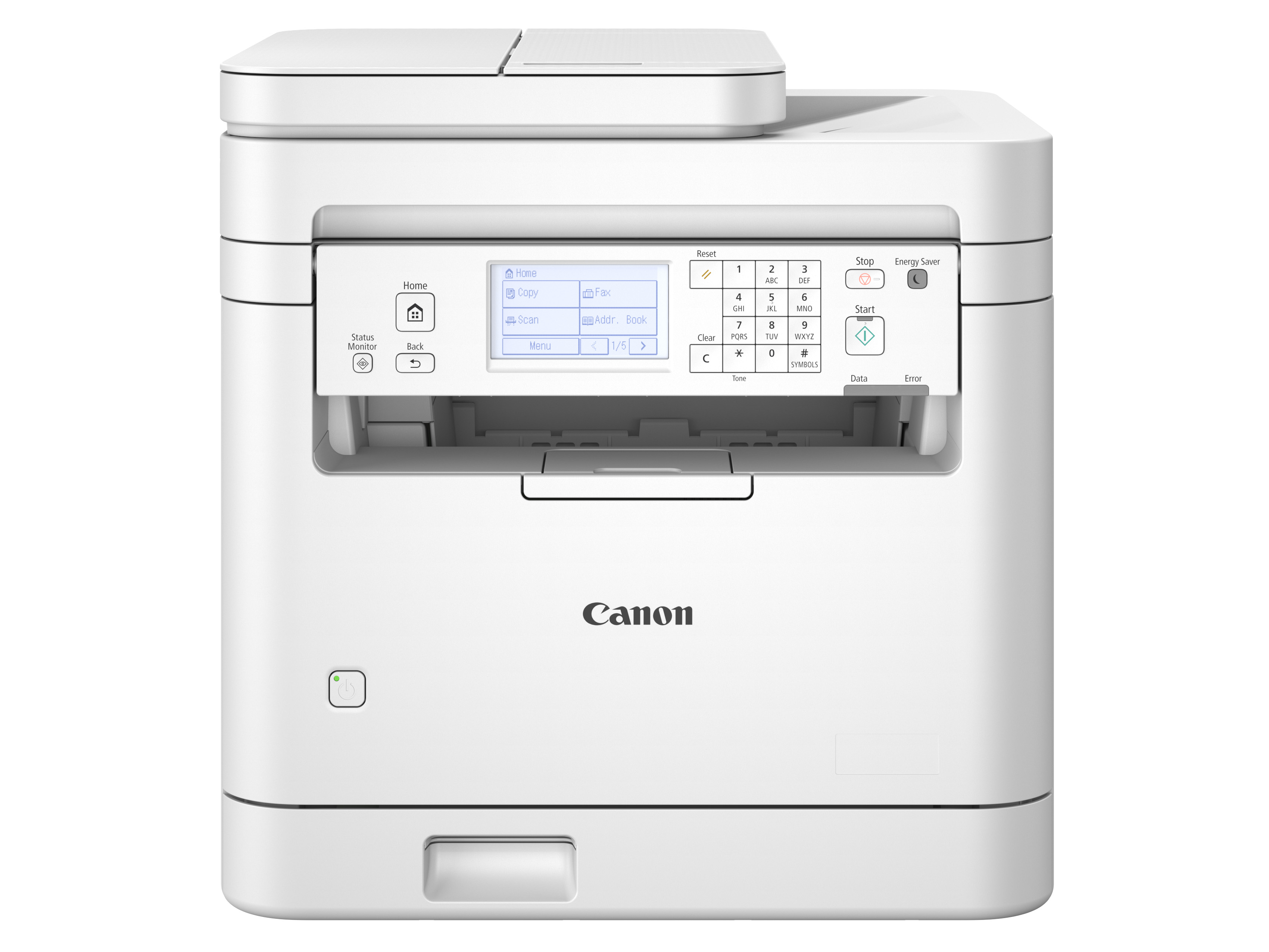
Compare Canon MF284dw and MF289dw for two-sided originals and email sending, including feeder limits, computer setup and sender-address rules.
Both can print ordinary black-and-white office paperwork and scan an original. The meaningful upgrade questions are whether you repeatedly turn two-sided sheets and whether someone must open a computer application to attach and send each scan. Those interruptions are independent.
Winner by situation
MF289dw avoids manual turning for dry, same-size supported loose sheets below its feeder limit, after correct duplex mode and orientation selection. Follow the loading check and leave books or unsuitable originals on the flatbed. For one-sided work, this scanning advantage disappears.
Panel sending can remove a repeated computer attachment step only after provider-approved configuration by an administrator using a networked computer. The machine remains From despite Reply-To changes. MF289dw is not a panel-only setup or a replacement for an incompatible mail service.
The lower-priced MF284dw can cover one-sided originals if a compatible computer permits the required scan driver, application and sending workflow. Verify the complete price saving. Its lack of automatic duplex scanning and printer email matters if either job becomes regular, and neither model prints in color.
MF284dw has no native panel email function. MF289dw keeps the machine From address even when Reply-To changes. Neither documented route establishes per-job personal sender switching. Keep a verified computer-mail workflow or choose a system whose exact account behavior meets that requirement.
Use the flatbed for books and originals the feeder instructions exclude. MF289dw’s automatic duplex feeder does not remove the manual placement needed for these originals. If printer email is also unimportant, the two central upgrade reasons may not apply.
Neither prints in color or supplies native printer email without the required approved setup. MF284dw lacks that email function. MF289dw still needs a networked computer and administrator configuration, a compatible mail service and an acceptable machine From address. Choose another verified arrangement if those are hard requirements.
What matters in practice
MF289dw can remove the need to turn and reload a two-sided packet. That applies to dry, same-size supported loose sheets below the feeder limit, with the correct duplex mode and orientation. Books and fragile originals still use the flatbed. Both printers already print two-sided pages, so that shared function does not decide this scanning job.
The model table separates the two feeders. Canon’s original-loading and scan-setting instructions supply the conditions. Computer scan settings and touchscreen email settings are different workflows.
Once a provider-approved connection is configured by an administrator on a networked computer, MF289dw avoids returning to that computer to attach each new file. The setup and machine sender identity must suit the office. If computer-based sending is already convenient or the service cannot support the printer, native email adds little.
The exact setup guide locates configuration on a computer, while a separate operating chapter describes panel email jobs after preparation. A function checkbox is not a universal mail-service compatibility promise.
Reply-To changes where responses go, while From remains the machine address. That can rule out printer email for an office requiring a different personal sender on each job. Computer-based sending may remain necessary even when MF289dw’s duplex feeder still earns its place.
The touchscreen scan-settings chapter explicitly distinguishes From and Reply-To. This is a sender-policy consequence within the email decision, not an additional claim that MF284dw has a native email function.
Canon, MF284dw
MF284dw prints on both sides but scans one side per feeder pass. It suits one-sided paperwork and a permitted computer scanning and sending workflow when its complete price is lower. It does not add native printer email.
Canon, MF289dw (US 6354C005)
MF289dw adds automatic two-sided scanning for suitable originals and email sending after networked-computer and administrator setup. Its machine From address remains fixed by that configuration even when Reply-To changes. Feeder preparation and the correct scan settings still matter.
Meaningful differences
| What changes | Canon MF284dw | Canon imageCLASS MF289dw | Why it matters |
|---|---|---|---|
| Handling both faces of an original | One-sided automatic feeder | Automatic two-sided scanning feeder | MF289dw avoids manually turning supported loose originals to capture their reverse sides. Choose the two-sided setting and correct orientation. Both already print on both sides, so printing duplex does not distinguish them. |
| Sending a scan as an email attachment | Scan to a computer, then use its sending workflow | Send from the machine after email-server configuration | MF289dw can remove the per-job computer attachment step. It does not remove initial computer setup, mail-provider requirements or checking the destination. |
| Who must prepare the email connection | No native printer-email function to configure | A networked computer and administrator access | For MF289dw, agree the server, authentication, encryption and port settings with the provider or administrator, then restart. A personal email account does not by itself establish compatibility. |
| The sender seen by an email recipient | Determined by the separate computer sending arrangement | The configured machine email address | MF289dw can set Reply-To, but that does not replace the From address. Check the office’s sender policy before buying it to act like each person’s individual mailbox. |
| Exact US model and basic print role | MF284dw at B0DGZL7377 | MF289dw, US SKU 6354C005, at B0DGZB9S57 | Both are monochrome printers with a flatbed and automatic two-sided printing. Do not substitute MF287dw, infer a toner bundle, or treat a retained listing identity as a current offer. |
What you give up
Recommendation switch
Choose Canon imageCLASS MF289dw. Recurring eligible two-sided packets favor MF289dw when dry, same-size supported sheets fit below the feeder limit and correct duplex mode and orientation are selected. Follow the loading check. Books still need the flatbed, and single-sided jobs do not gain this benefit.
Choose Canon imageCLASS MF289dw. Printer sending favors MF289dw when its mail service and machine From identity are approved and an administrator can configure it from a networked computer. Reply-To does not change From. If that setup fails or computer sending is sufficient, the email reason disappears.
Choose Canon MF284dw. An actual lower complete price favors MF284dw for one-sided originals when a compatible computer permits the required driver, scanning application and sending workflow. It cannot add automatic duplex scanning or native printer email later. Both remain monochrome printers.
Choose neither. Neither prints in color or supplies native printer email without the required approved setup. MF284dw lacks that email function. MF289dw still needs a networked computer and administrator configuration, a compatible mail service and an acceptable machine From address. Choose another verified arrangement if those are hard requirements.
What matters in practice
Separate turning paper from sending the resulting file. One can matter even when the other is already easy.
What the facts say
Useful conclusions from the current laser printers comparison, followed by the checked facts used to reach them.
| Product | Needs matched | Checked facts | Source records |
|---|---|---|---|
| Canon MF284dw |
|
|
|
| Canon imageCLASS MF289dw |
|
|
|
Ready to choose?
Open either model on Amazon to check the current price, customer reviews and delivery options.
MF284dw has a lower complete price, one-sided originals are enough and a compatible computer permits the required driver, scanning application and sending workflow. It lacks automatic duplex scanning and printer email. If either becomes routine, reconsider the saving. Both print only in black and white.
See price & reviews on AmazonRecurring two-sided loose originals justify MF289dw when dry, same-size supported sheets fit below its feeder limit and you can select the correct duplex mode and orientation. Follow the loading check. Books and unsuitable originals still need the flatbed. One-sided work removes this benefit, and no single-pass or speed advantage is claimed.
MF289dw can remove computer-based attachment sending if your provider or administrator approves its email setup. You need a networked computer and administrator access for configuration, not just the panel, and must accept the machine From address despite Reply-To changes. Unsupported mail services or an already convenient computer workflow remove this benefit.
See price & reviews on AmazonLinks open in a new tab.