
Main trade-off
Brother DCP-L2640DW
No fax or automatic two-sided scanning. A 50-sheet ADF does not supply either function.
Head-to-head
Choose DCP-L2640DW for one-sided scanning and everyday printing when fax is unnecessary. Choose MF289dw if automatic two-sided scanning or a required fax workflow will save a separate task. Canon needs 3 inches more body height. Both print trays hold 250 sheets, so more family printing alone is a weak reason to upgrade.
Before you choose
A household can print hundreds of homework pages but scan only a few one-sided forms. Brother already covers that job with the same 250-sheet tray as Canon. The recommendation changes if the incoming pile contains double-sided statements, insurance forms or contracts. Canon captures the backs automatically, while Brother needs another handling step. Separate outgoing printing from incoming filing before paying for an upgrade. The larger household is not automatically the household that needs the more capable scanner.
What this is based on
Both main trays hold 250 sheets. Brother’s ADF is one-sided and Canon’s is two-sided. Incoming-document format, rather than household size, determines the additional handling.
Main trade-off
No fax or automatic two-sided scanning. A 50-sheet ADF does not supply either function.
Main trade-off
Extra scanning and fax features come with a taller body, while ordinary print-paper capacity stays the same.

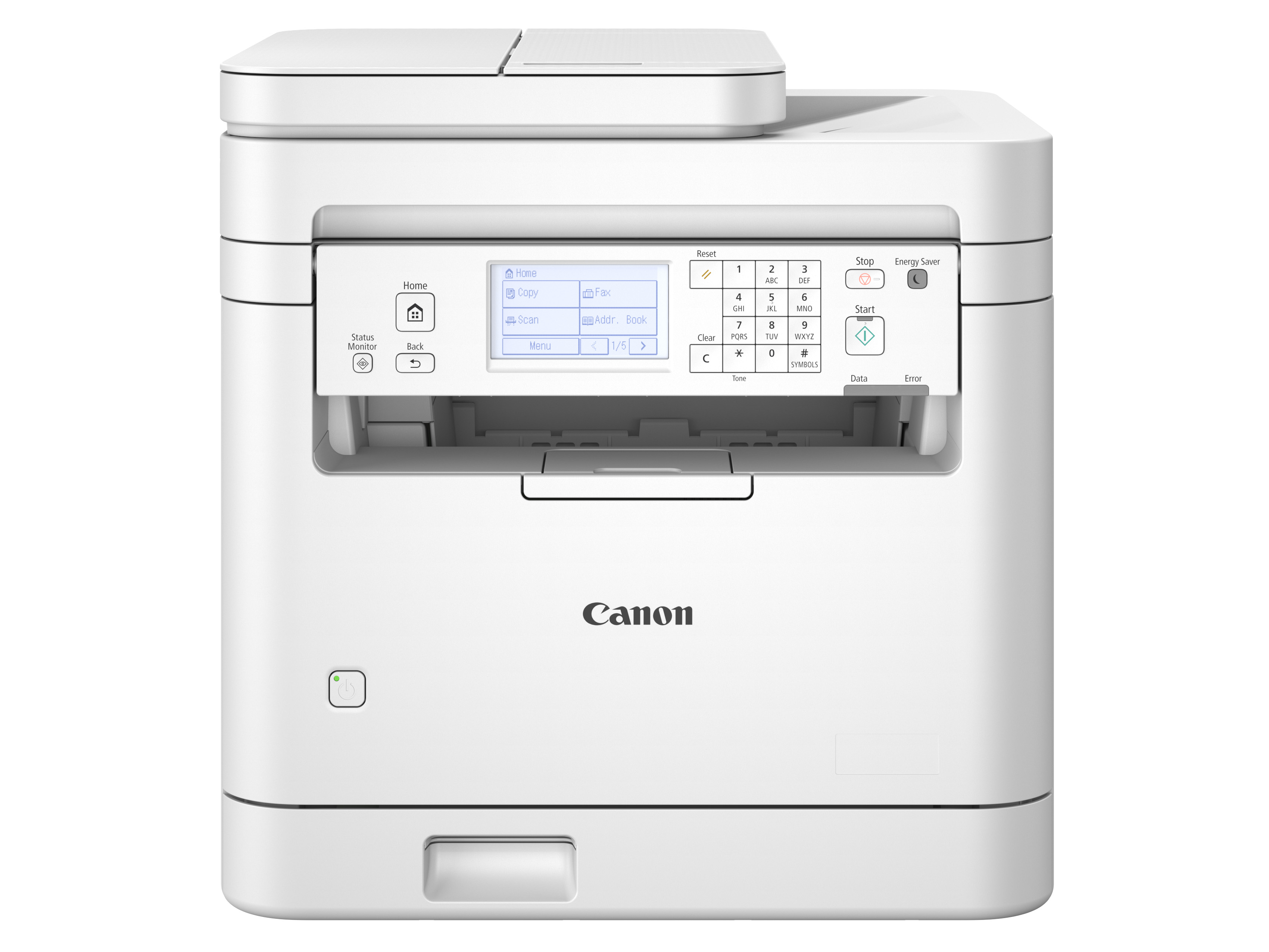
Is MF289dw worth upgrading from DCP-L2640DW? Compare two-sided family filing, required fax, shared print jobs and the space each printer needs.
These suit buyers who want one monochrome machine for work documents and household paperwork. Canon adds fax and automatic two-sided scanning. Brother already provides a flatbed, a large one-sided feeder and the same main print-tray capacity.
Winner by situation
Brother already has the same main print capacity without the taller Canon body.
Canon removes manual reverse-side capture for suitable originals.
Fax is part of Canon and absent on Brother.
Both print only in monochrome.
What matters in practice
A household can print hundreds of homework pages but scan only a few one-sided forms. Brother already covers that job with the same 250-sheet tray as Canon. The recommendation changes if the incoming pile contains double-sided statements, insurance forms or contracts. Canon captures the backs automatically, while Brother needs another handling step. Separate outgoing printing from incoming filing before paying for an upgrade. The larger household is not automatically the household that needs the more capable scanner.
Both main trays hold 250 sheets. Brother’s ADF is one-sided and Canon’s is two-sided. Incoming-document format, rather than household size, determines the additional handling.
If an organization insists on fax and your home already has a compatible line, Canon puts that route in the same machine. Choosing Brother then arranging a separate fax service adds a task the printer cannot perform. If the organization accepts a secure upload or another approved route, fax may add little value. Confirm the actual receiving requirement first. Canon’s fax hardware is useful only when the rest of that communication route also works.
DCP-L2640DW excludes fax. MF289dw includes fax. Recipient acceptance and telephone compatibility are explicit conditions, not assumed equivalence between fax and email.
Two-sided feeding sounds ideal for clearing a mixed family archive, but bound books, delicate originals and unsuitable media still need an appropriate flatbed workflow. Canon cannot turn those objects into an unattended stack. If keepsakes and workbook pages dominate your backlog, Brother may already provide the scanning method you need in a body 3 inches lower. Canon earns its place when a meaningful share of the archive is suitable loose double-sided paper.
Both have a flatbed. Canon placement instructions distinguish feeder-compatible loose originals from items needing the glass. Body heights are 12.5 and 15.5 inches. No blanket permission to scan fragile items is implied.
Brother, DCP-L2640DW
You print and scan mainly one-sided paperwork, with no requirement to send or receive faxes.
Canon, MF289dw (US 6354C005)
Two-sided statements and forms need automatic reverse-side capture, with room for the taller printer.
Meaningful differences
| What changes | Brother DCP-L2640DW | Canon imageCLASS MF289dw | Why it matters |
|---|---|---|---|
| Capturing both faces of paper | Manual handling of reverse sides | Automatic two-sided feeder scanning | Canon helps when incoming paper is double-sided, rather than simply when there is a lot of it. |
| Print-paper capacity | 250-sheet main tray | 250-sheet main tray | The upgrade does not hold more blank paper for homework and work print jobs. |
| Fax requirement | No fax | Fax supported | Canon can cover a required fax route if the telephone service is compatible. |
| Body height | 12.5 inches | 15.5 inches | Canon needs more vertical space before accounting for access. |
| Flatbed and feeder | Flatbed plus one-sided ADF | Flatbed plus two-sided ADF | Original type determines whether the automatic feeder can help at all. |
| Output type | Monochrome print and copy | Monochrome print and copy | Neither upgrade path supplies color printing for projects or diagrams. |
What you give up
Recommendation switch
Choose Brother DCP-L2640DW. Brother covers that routine with a lower body and the same print-paper capacity.
Choose Canon imageCLASS MF289dw. Canon adds both functions, subject to media, destination and telephone compatibility.
Choose neither. Neither printer meets that requirement.
What matters in practice
You want to avoid buying more office features than you use, but repeatedly handling the backs of family paperwork can make the simpler printer inconvenient.
What the facts say
Useful conclusions from the current laser printers comparison, followed by the checked facts used to reach them.
| Product | Needs matched | Checked facts | Source records |
|---|---|---|---|
| Brother DCP-L2640DW |
|
| |
| Canon imageCLASS MF289dw |
|
|
|
Ready to choose?
Open either model on Amazon to check the current price, customer reviews and delivery options.
You print and scan mainly one-sided paperwork, with no requirement to send or receive faxes.
You want the same 250-sheet print tray in a lower body and can handle occasional reverse sides manually.
See price & reviews on AmazonTwo-sided statements and forms need automatic reverse-side capture, with room for the taller printer.
You need fax in the same machine and have a compatible telephone-service setup.
See price & reviews on AmazonLinks open in a new tab.