
Main trade-off
Brother MFC-L2820DW
Its document feeder scans only one side. Double-sided filing still needs manual handling and a page-order check.
Head-to-head
Choose MF289dw for regular two-sided paperwork. Its automatic duplex scanning removes the manual reverse-side pass that MFC-L2820DW still requires. Choose Brother when originals are mainly one-sided and its lower body or 5 GHz Wi-Fi solves an actual placement problem. Both hold 250 print sheets, so Canon is a scanning upgrade rather than an input-paper-capacity upgrade.
Before you choose
For a parent also running a small business, the awkward part of filing may be returning to flip insurance forms and contracts after the first sides have scanned. Canon automates that reverse-side capture. Brother still needs manual handling, even though it has fax, a touchscreen and a 50-sheet feeder. Canon is worth considering when those interruptions are common. If nearly everything arrives digitally or on one-sided paper, you lose much of that reason to upgrade. Check the finished file on either printer.
What this is based on
Brother specifies no duplex scanning. Canon’s model matrix confirms two-sided feeder scanning. The inference concerns a required handling step, not a measured time saving, error rate or single-pass mechanism.
Main trade-off
Its document feeder scans only one side. Double-sided filing still needs manual handling and a page-order check.
Main trade-off
The body is 3 inches taller than Brother. Do not assume it can work in the same shelf opening.

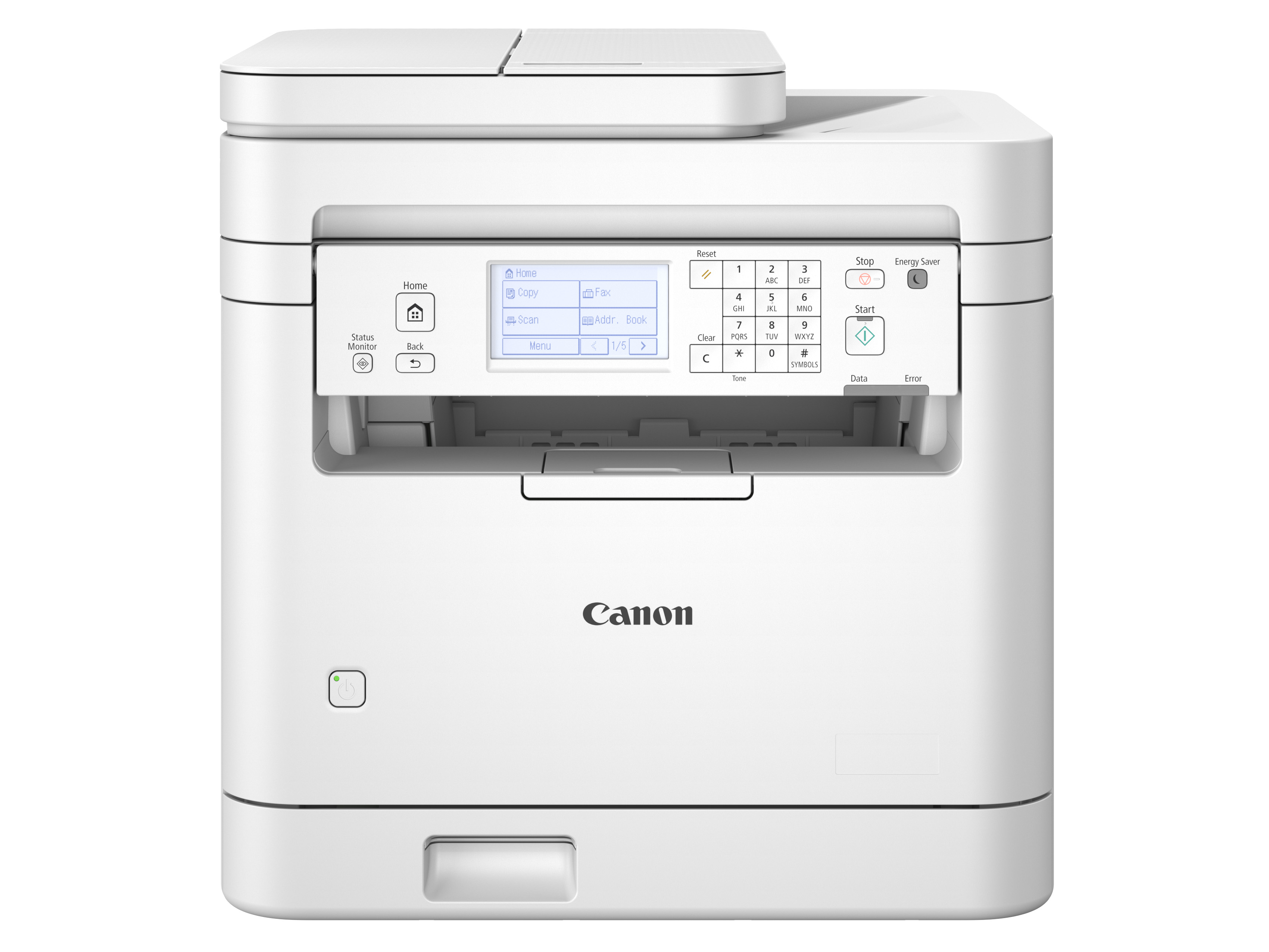
MFC-L2820DW or MF289dw for two-sided paperwork? Compare manual refeeding, shelf access and network setup before choosing a home-office all-in-one.
Both combine monochrome printing, scanning, copying and fax with a 250-sheet print tray. The important upgrade is on the incoming-paper side. Canon can scan both sides automatically, while Brother keeps a lower body and dual-band Wi-Fi.
Winner by situation
Canon removes the manual reverse-side pass. Verify the resulting file and supported originals.
Brother has a body 3 inches lower. Both need usable overhead access.
The main tray rating is the same. Scanner capability is the important difference.
Brother explicitly supports 5 GHz. Confirm a compatible network or wired route for Canon.
What matters in practice
For a parent also running a small business, the awkward part of filing may be returning to flip insurance forms and contracts after the first sides have scanned. Canon automates that reverse-side capture. Brother still needs manual handling, even though it has fax, a touchscreen and a 50-sheet feeder. Canon is worth considering when those interruptions are common. If nearly everything arrives digitally or on one-sided paper, you lose much of that reason to upgrade. Check the finished file on either printer.
Brother specifies no duplex scanning. Canon’s model matrix confirms two-sided feeder scanning. The inference concerns a required handling step, not a measured time saving, error rate or single-pass mechanism.
Canon is 0.7 inch narrower, which looks helpful beside a monitor, but it is also 3 inches taller and exactly as deep. In an office where shelving already limits access above the printer, the upgrade may require a new location before it makes paperwork easier. Brother is the better fit when its lower body keeps the scanner usable and you can accept manual backs. Neither closed-body dimension includes the room needed to load paper, open the lid and ventilate the unit.
Width difference 16.1 minus 15.4 = 0.7 inch. Height difference 15.5 minus 12.5 = 3 inches. Both bodies are 15.7 inches deep. Installation clearance is additional.
Automatic two-sided scanning helps less if every finished file lands somewhere the rest of the household cannot use. Canon documents email and SMB folder sending, so a shared filing folder can be part of the purchase plan after configuration. Brother also has documented email and cloud routes, so it should not be dismissed as computer-only. Decide who must receive the file and whether that destination works with your network. The Canon advantage is combining a suitable destination with automatic reverse-side capture.
Canon’s model matrix confirms email/SMB sending. Brother lists scan to email server as a download and cloud functions. Destination setup, credentials and network compatibility remain required. No security certification or universal service compatibility inferred.
Brother, MFC-L2820DW
Mostly one-sided scans, with a lower body or 5 GHz Wi-Fi making installation easier.
Canon, MF289dw (US 6354C005)
Recurring double-sided forms make automatic capture of both sides worth the taller body.
Meaningful differences
| What changes | Brother MFC-L2820DW | Canon imageCLASS MF289dw | Why it matters |
|---|---|---|---|
| Two-sided scan originals | One-sided feeder, manual reverse-side handling | Automatic two-sided feeder scanning | Canon removes a repeated handling step when both faces contain information. |
| Main print tray | 250 sheets | 250 sheets | The scan upgrade does not add more blank paper for printing. |
| Body height | 12.5 inches | 15.5 inches | Allow another 3 inches for Canon’s body before lid and paper access. |
| Body width and depth | 16.1 by 15.7 inches | 15.4 by 15.7 inches | Canon is narrower, but not shallower. Check height independently. |
| Wireless and wired network | 2.4/5 GHz Wi-Fi and Ethernet | Wi-Fi b/g/n and Ethernet | Brother explicitly supports 5 GHz. Either can use a suitable wired connection. |
| Fax and scan destinations | Fax, cloud apps and documented email-server support | Fax and documented scan to email/SMB | Choose a supported destination and configure access. These are different routes, not proof one is inherently more private. |
What you give up
Recommendation switch
Choose Canon imageCLASS MF289dw. MF289dw removes manual reverse-side feeding, subject to original and destination compatibility.
Choose Brother MFC-L2820DW. MFC-L2820DW has the lower body and documented dual-band connection, with one-sided scanning.
Choose neither. Both main trays hold 250 sheets. This pair offers no capacity upgrade.
What matters in practice
You want a short printer below office shelving, but you also want to finish two-sided filing without returning to flip the originals.
What the facts say
Useful conclusions from the current laser printers comparison, followed by the checked facts used to reach them.
| Product | Needs matched | Checked facts | Source records |
|---|---|---|---|
| Brother MFC-L2820DW |
|
| |
| Canon imageCLASS MF289dw |
|
|
|
Ready to choose?
Open either model on Amazon to check the current price, customer reviews and delivery options.
Mostly one-sided scans, with a lower body or 5 GHz Wi-Fi making installation easier.
You need fax and a 250-sheet print tray but can handle reverse sides yourself when they appear.
See price & reviews on AmazonRecurring double-sided forms make automatic capture of both sides worth the taller body.
You need a configured email or network-folder scan destination as part of that two-sided filing routine.
See price & reviews on AmazonLinks open in a new tab.