
Main trade-off
Canon MF275dw
One-sided scanning leaves manual handling of the backs, and the 150-sheet tray can interrupt larger single-sided print jobs.
Head-to-head
Choose MF275dw for a shallower desk and occasional small scan batches. Choose MF289dw for recurring double-sided paperwork or single-sided print jobs that exceed the smaller tray. Both have fax and automatic two-sided printing. If your big print jobs are already duplexed and most originals are one-sided, MF289dw may solve less than its higher model number suggests.
Before you choose
If work receipts are one-sided but family statements and contracts have important information on the back, the second scan pass can be the part that gets put off. MF289dw captures both faces automatically for suitable loose originals. MF275dw needs manual handling and a page-order check. This makes Canon’s upgrade useful for the format of your backlog, even if you do not print very much. A mostly digital or one-sided filing routine has much less to gain.
What this is based on
MF275dw has a simplex ADF. MF289dw supports two-sided feeder scanning. The consequence is removal of manual reverse-side handling, without a claimed reduction in errors or measured filing time.
Main trade-off
One-sided scanning leaves manual handling of the backs, and the 150-sheet tray can interrupt larger single-sided print jobs.
Main trade-off
Its body is 1.1 inches deeper and 1.1 inches taller. The upgrade may need a different location.

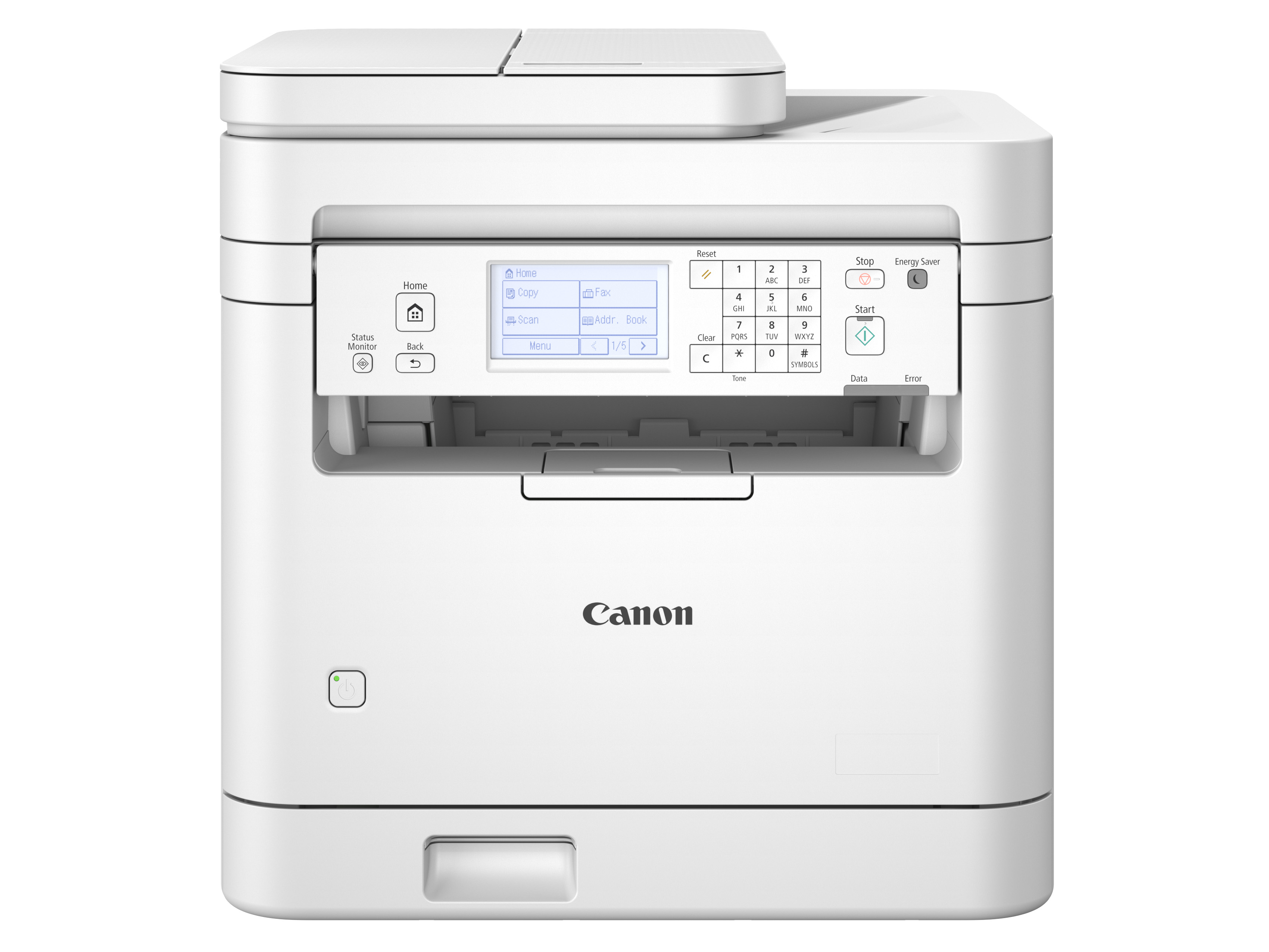
MF275dw or MF289dw for work and family paperwork? Find out when duplex scanning and a larger tray matter enough to accept the deeper Canon body.
Both are compact Canon monochrome all-in-ones with fax. MF289dw is a plausible step up for buyers who are outgrowing a small tray or repeatedly scanning the backs of documents. It also needs more room on the desk.
Winner by situation
MF275dw keeps the shallower body when the advanced scanner would rarely help.
MF289dw automatically captures both sides for suitable originals.
MF289dw’s full input tray holds the paper. MF275dw needs an input refill.
Both hold the 100 input sheets needed. Output collection remains a separate limit.
What matters in practice
If work receipts are one-sided but family statements and contracts have important information on the back, the second scan pass can be the part that gets put off. MF289dw captures both faces automatically for suitable loose originals. MF275dw needs manual handling and a page-order check. This makes Canon’s upgrade useful for the format of your backlog, even if you do not print very much. A mostly digital or one-sided filing routine has much less to gain.
MF275dw has a simplex ADF. MF289dw supports two-sided feeder scanning. The consequence is removal of manual reverse-side handling, without a claimed reduction in errors or measured filing time.
A 200-page training packet printed single-sided exceeds MF275dw’s full 150-sheet tray but fits MF289dw’s 250-sheet tray. Print that same suitable packet duplex and it uses 100 sheets, which both hold. MF289dw’s tray matters when handouts must remain single-sided or your duplex jobs are larger still. For a family that already duplexes most worksheets, automatic two-sided scanning may be the stronger reason to upgrade. Paper collection can still require attention.
Example input-paper calculation: 200 single-sided pages = 200 sheets. Duplex = ceiling(200 / 2) = 100 sheets. Full trays and suitable paper assumed. Output-tray handling is excluded.
Both are 15.4 inches wide, so a side-by-side photo can make the upgrade look easy to place. MF289dw is also 1.1 inches deeper and 1.1 inches taller. In a small home office, those extra dimensions can collide with a desk edge, cables or overhead storage. Check the complete usable position before choosing the better paper-handling package. If MF275dw is already close to the space limit, keeping its shallower body can be more valuable than saving an occasional input refill.
MF289dw depth/height 15.7/15.5 inches minus MF275dw 14.6/14.4 inches gives 1.1 inches in each direction. Body measurements exclude required operating clearances.
Canon, MF275dw
Your desk is shallow and suitable one-sided scan batches stay within its 35-sheet feeder.
Canon, MF289dw (US 6354C005)
You repeatedly scan both sides of loose paperwork and want automatic reverse-side capture.
Meaningful differences
| What changes | Canon MF275dw | Canon imageCLASS MF289dw | Why it matters |
|---|---|---|---|
| Reverse sides of scan originals | Manual handling with simplex ADF | Automatic two-sided scanning | This is the clearest upgrade for double-sided filing. |
| Main print tray | 150 sheets | 250 sheets | Larger single-sided output jobs can avoid an input refill on MF289dw. |
| Automatic two-sided printing | Yes | Yes | Both can reduce the number of sheets a suitable print job needs. |
| Body depth | 14.6 inches | 15.7 inches | MF289dw needs a deeper position before cable and access clearance. |
| Body width and height | 15.4 inches wide, 14.4 high | 15.4 inches wide, 15.5 high | The upgrade does not become wider, but takes more height. |
| Fax and output | Fax, monochrome printing | Fax, monochrome printing | Neither fax nor color output is an upgrade here. Both remain monochrome. |
What you give up
Recommendation switch
Choose Canon MF275dw. MF275dw gives up automatic reverse-side capture but keeps a shallower body.
Choose Canon imageCLASS MF289dw. MF289dw removes manual handling of the reverse side for suitable feeder originals.
Choose neither. Both are monochrome printers.
What matters in practice
You want paper handling that needs fewer interruptions, but the printer must still fit on a shallow shared workstation.
What the facts say
Useful conclusions from the current laser printers comparison, followed by the checked facts used to reach them.
| Product | Needs matched | Checked facts | Source records |
|---|---|---|---|
| Canon MF275dw |
|
|
|
| Canon imageCLASS MF289dw |
|
|
|
Ready to choose?
Open either model on Amazon to check the current price, customer reviews and delivery options.
Your desk is shallow and suitable one-sided scan batches stay within its 35-sheet feeder.
Most large print jobs can be duplexed, and you can handle occasional reverse-side scans manually.
See price & reviews on AmazonYou repeatedly scan both sides of loose paperwork and want automatic reverse-side capture.
Single-sided print jobs make the 250-sheet tray useful, with room for the deeper and taller body.
See price & reviews on AmazonLinks open in a new tab.